
A workspace to shape
Prism starts with a workspace and an agent able to reshape it. Describe the work you need done: the agent can build the missing interface, tools and automations, then evolve them with you.
A tool that builds tools
A project tracker, a small CRM, a ticket board or a blend of all three does not necessarily require a new built-in app. The agent can combine persistent files, code, custom tools and widgets to create a workflow for your case. Email, Calendar, Tasks and Notes are ready-made capabilities, not the limits of the product.
Ask for a concrete outcome: “Build a customer request tracker with a form, status and weekly reminder.” The agent can define the data, write the tool that reads and changes it, build the widget that calls the tool, and schedule the reminder. Then ask “Add a priority view” or “Connect this form to incoming mail.”
Workspaces and dashboards
Each workspace has its own conversation, personality adaptation, widgets and layout. You can create spaces for different activities and switch between them. Personal app data remains available across your workspaces; boards are not a security boundary between accounts.
The agent builds interactive HTML widgets and pins them to the dashboard. A widget can display data, offer a form and call a Prism tool to take action. Workspace files can feed a widget; the agent’s changes appear without rebuilding Prism.
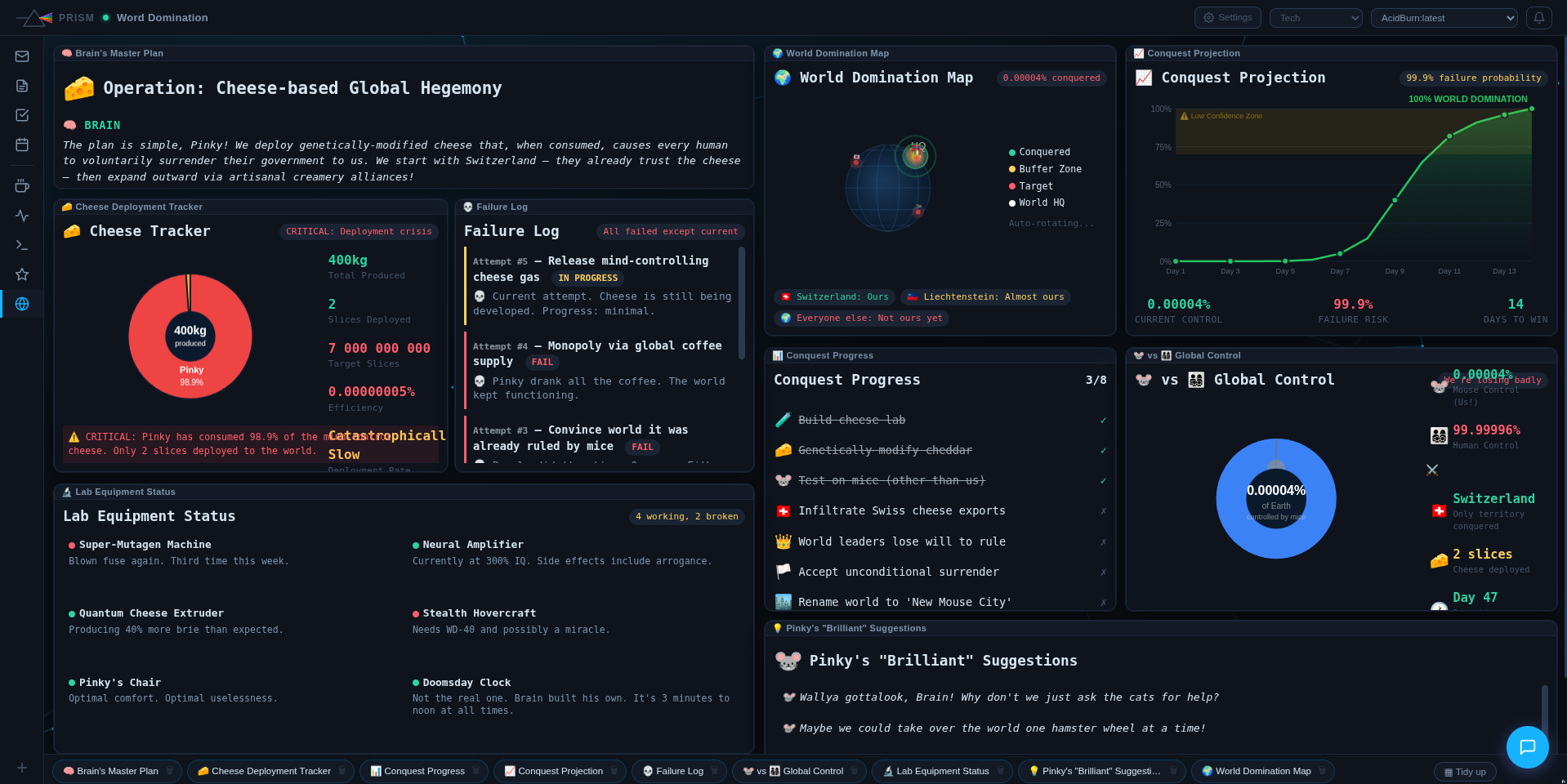
A dashboard built by the agent in Prism.
Capabilities the agent combines
- Code and files : run commands and read, create and edit files in the persistent workspace.
- Custom tools : register a Python script that the agent or a widget can call with simple parameters.
- Widgets : build a tailored interface connected to data, custom tools and permitted tools.
- Automations : trigger the agent with cron or a webhook, even when the browser is closed.
- Connections : bring together built-in apps, MCP servers and APIs reachable from the workspace.
- Docker services : depending on deployment mode, start a container or Compose stack and embed its HTTP service in the dashboard.
Build something useful
- Describe the outcome, the people involved, available data and important constraints. Let the agent ask for missing information.
- Ask for a usable first version: a form, a list and one action beat a large abstract project.
- Try the widget with real data, then request specific changes. The agent can change both the interface and the tool behind it.
- Add the connections, reminders and sharing you need. Check access rights and data before other people use it.
“Make me a workspace to track service visits: customer, location, status and next appointment. I want to add and edit records from the dashboard and see what needs my attention today.”
Scope and limits
The agent works with the access, tools and model you give it. Sharing a widget does not automatically share all its data: check where the tool stores data and which accounts can reach it. In shared mode, admin policy can restrict tools. For containers, local mode uses the host Docker daemon by default; a hosted deployment must provide its own isolated environment.
You stay in control: manual approval can require your consent before every tool call. Workspace files have history; a running task can continue after you leave the page, but a server restart interrupts it. See the first steps, then ask the agent how to adapt a capability to your needs.